The SoloWise
Personal Safety Check-In Process
Getting Started With SoloWise
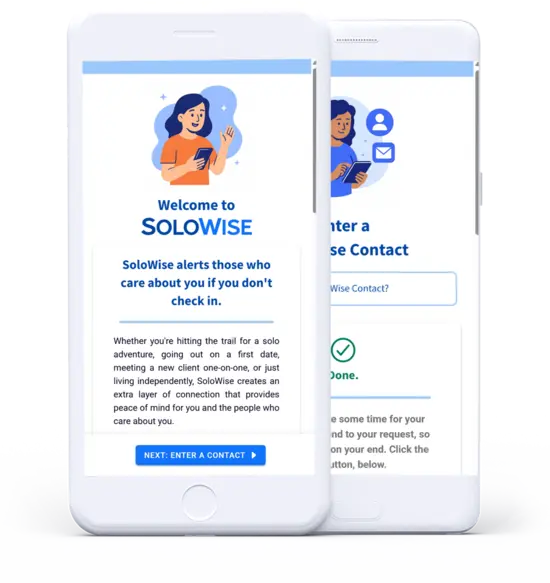
Signing up for SoloWise is quick and easy. You only need to enter your name and email address to get started. And it's free — no credit card required.
Our friendly onboarding process will walk you through registering your first emergency contact and setting a few other important options. Once your contact confirms their participation, you can set your first personal safety check-in and explore other features of the app.
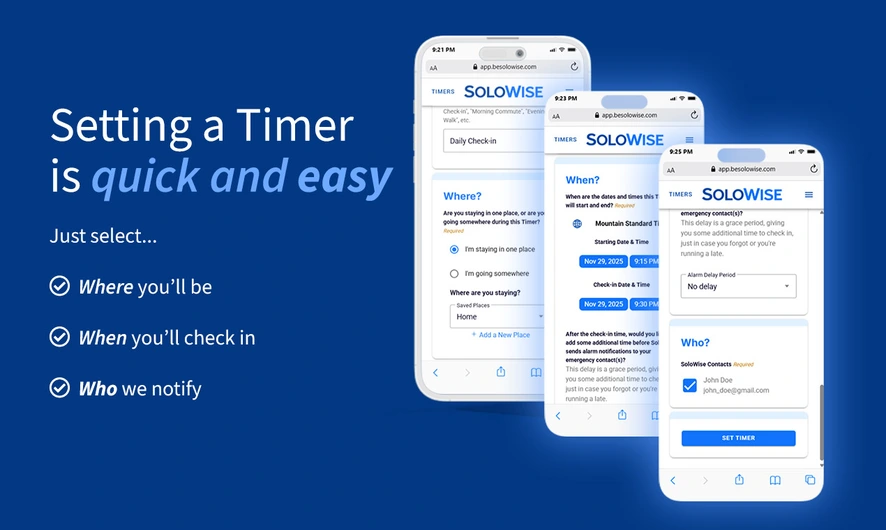
Schedule check-ins
for when you need them
You can set your check-in times for any duration, from 15 minutes to multiple days. You can set as many check-in times as you need throughout each day, as long as they don't overlap.
Optionally, SoloWise allows you to record in advance other crucial information that could help in an emergency response, including your medical information, location or route, other people or pets that accompany you, your vehicles, and much more.
As long as you're safe, you may check in early — anytime before your scheduled check-in time — and that will end the process at this point. No further interactions are needed until you schedule your next check-in time.
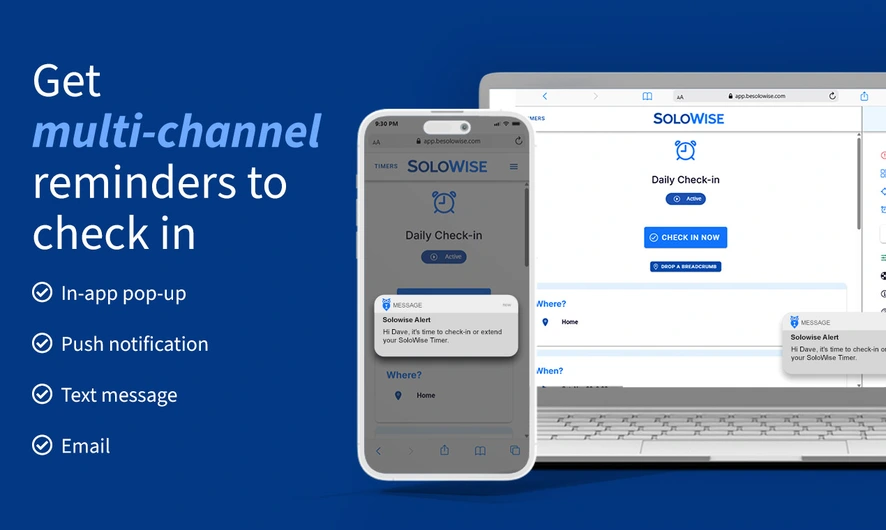
If you miss a check-in
If you do not check-in on time, SoloWise will immediately send to you a message, reminding you to check-in and asking if you're OK.
Those reminder messages are sent by email and an in-app alert by default. You can also opt-in to text message and push notification reminders at no extra fee.
When using the SoloWise text messaging system, you can reply by using a few pre-defined responses:
- SAFE will set your status as checked-in and no further messages will occur until your next scheduled check-in time.
- LATE will begin a short series of additional text prompts which will allow you to extend your check-in time. SoloWise will remind you again at the new time.
- SOS will immediately trigger SoloWise to send alert messages to your emergency contacts to notify them of your emergency.
You do not need to wait for that initial reminder message from SoloWise. You can send any of those pre-defined text messages at any time during a scheduled check-in period.
If you do not reply at all by the time your pre-defined "alarm delay" has expired, then SoloWise will proceed to send the alert messages to your emergency contacts.
The messages to your emergency contacts will be sent via email by default. Your contacts may also opt in to receiving text messages and automated-voice calls. The email will contain a link to a webpage that will report all of the information you recorded for your check-in.
The "alarm delay" is a grace period between when SoloWise sends reminder messages to you and when it sends the alert messages to your contacts. This period can give you some time to check in after you get your reminder. But the alarm delay is optional. The delay is set to zero by default, so the alerts are sent to your contacts right away.
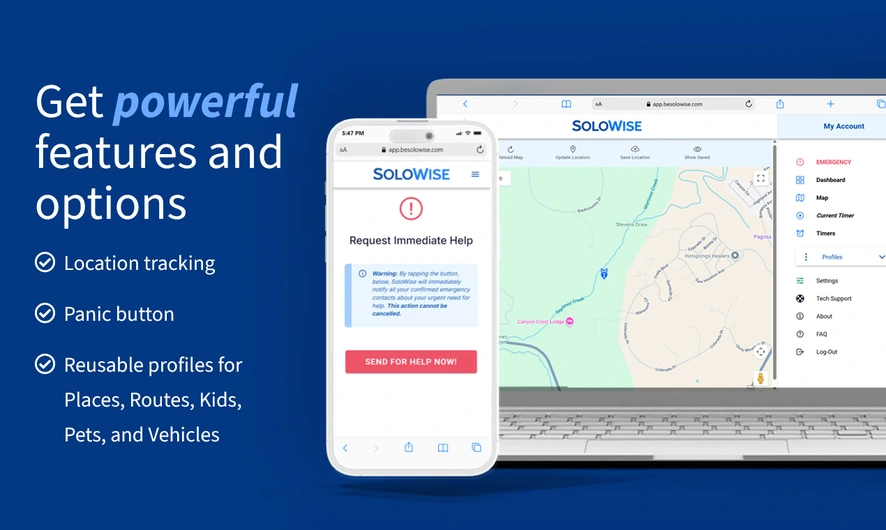
Emergency SOS Features
If you ever experience a life-threatening situation, and if you're able to use your phone, call 911 first.
If you experience an emergency either before a scheduled check-in time or outside of a check-in period, the SoloWise app also has an emergency SOS button that can be used to immediately notify all your contacts about your urgent need for help. This feature does require an internet connection to work.
If you do not have an internet connection to your phone, and you can't use the in-app SOS button, you can also try the SoloWise text message system, which also has an SOS feature. You can simply send the text "SOS" to our text number, and your contacts will be similarly notified.
The text message option can potentially be the more reliable method of sending an SOS message during situations in weak-signal areas.
Location Tracking
Location tracking is entirely optional in SoloWise. To activate it, you must first allow location permissions in your device settings. When first setting up your account, you will be prompted to allow permissions, but you can allow or revoke those permissions at any time.
Once you allow location permissions on your device, you will unlock location related features in the SoloWise app, including a map page and the ability to "drop breadcrumbs". These digital breadcumbs are individual points where your location will be saved. You must manually push the "Save Location" button each time you want to drop a breadcrumb.
Your breadcrumbs are automatically deleted after 7 days. You can manually delete your breadcrumbs at any time.
Continuous and automatic location tracking is not available at this time but is being considered as an optional feature in a future version of SoloWise.
SoloWise Works on Virtually Every Modern Phone, Tablet, and Computer
SoloWise is currently available as a web-based app, which means you can start using it immediately, without needing to download it.
Simply visit https://app.besolowise.com on your phone, tablet, or computer and create an account. From there, SoloWise runs in your web browser just like any other modern app.
That said, SoloWise can also be installed on your device for a more app-like experience:
- On Android (Chrome or other Chromium browsers): When you open the SoloWise app, you'll see an option to "Install app" or "Add to Home Screen." This will add the SoloWise icon on your device and open it in its own window — very similar to a native app.
- On iPhone / iPad (Safari): You can use Share → Add to Home Screen to add a SoloWise icon on your home screen for quick access.
Native Android and iOS apps are currently in development, but for now, SoloWise is available as a universal web app. This allows everyone — regardless of device — to access the same features.
In short:
- You can use SoloWise right now
- You can install it on your device today
- Full native app store versions are on the way
Frequently Asked Questions
- Does SoloWise directly contact emergency services if I don't check in?
- No. SoloWise does not directly contact any kind of emergency services. SoloWise only sends alert messages to your selected emergency contacts. It is up to your contacts to decide to call 911 or other authorities.
- Does SoloWise require an internet or cellular connection to work?
- Yes and no. An internet connection is required to initially set a check-in time in the SoloWise app. Once a check-in time is saved, it is stored on the SoloWise servers, not on your phone. All alert notifications are sent directly from SoloWise, so your phone does not need a connection for the alerts to be sent. If something goes wrong while you're in a remote location or if your phone battery dies, you're still covered.
- Does SoloWise track my location?
- Location tracking is entirely optional. You get to choose when and where your location is saved.
- Do emergency contacts need to know my schedule?
- No. Your emergency contacts do not need to know when your personal safety check-ins are scheduled. They are only notified if you miss a scheduled check-in.
- Can SoloWise be used by small groups as well?
- Yes. SoloWise works for individuals and small groups. Multiple people can be included on the same check-in set-up, so the alert reports reflect everyone that is involved.
- Can I cancel or update a check-in?
- Yes. You can check in early, cancel a check-in, or adjust your plans at any time.