

Schedule a Timer
Select the check-in time, location, and emergency contacts.
SoloWise is a flexible check-in system designed to fit your daily life or routine.

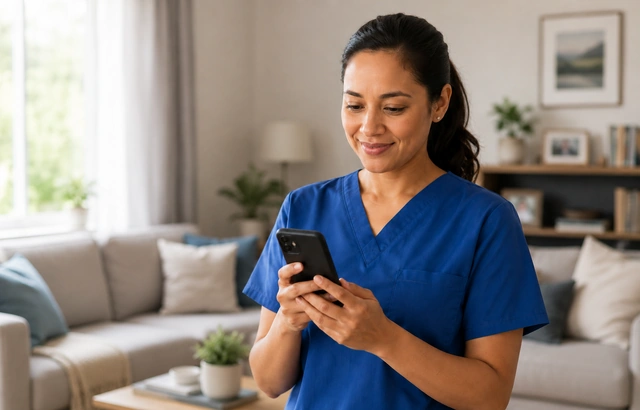

Trusted by people who value independence and safety.

Aging adultsliving independently

Lone workersat remote job sites

Outdoor adventurerson any trail or trip

Solo travelersvirtually anywhere in the world
5-minute set-up
Signing up for SoloWise is quick and easy. You only need to enter your name and email address to get started. And it's free — no credit card required.
Our friendly onboarding process will walk you through registering your first emergency contact and setting a few other important options. Once your contact confirms their participation, you can set your first personal safety check-in.
How SoloWise works for your emergency contacts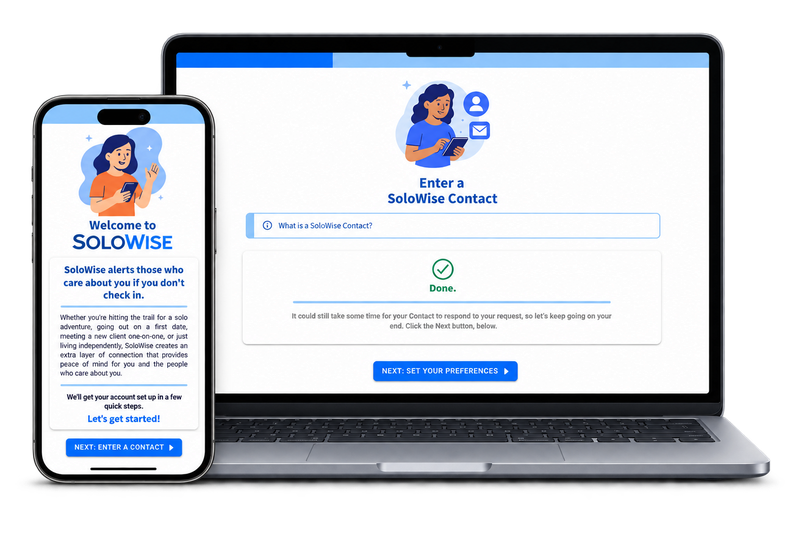
A simple, flexible check-in system
SoloWise offers two ways to handle check-ins:
Select the check-in time, location, and emergency contacts.
A friendly prompt arrives via the website, app, and text message at check-in time.
A quick response through the website, app, or text message
completes the check-in.
Trusted contacts are alerted and provided a comprehensive report when a check-in is missed.
No further actions are needed.
SoloWise proceeds to alert the member's trusted contacts.
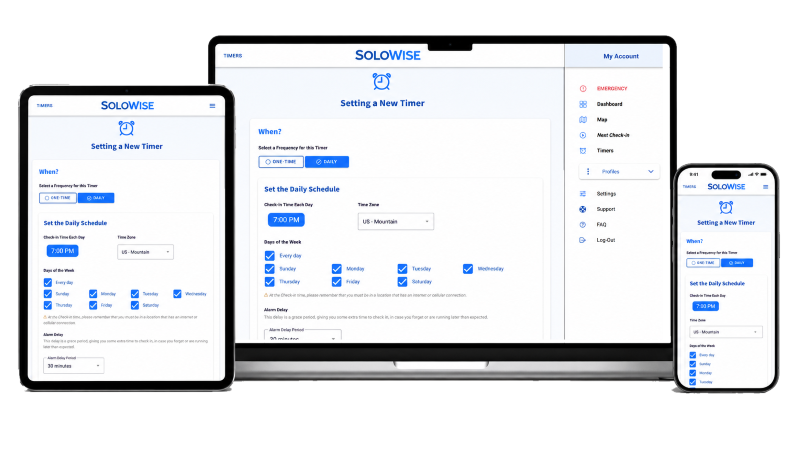
Set it only once, and it automatically recurs each selected day.
A friendly prompt arrives via the website, app, and text message at the scheduled check-in time.
A quick response through the website, app, or text message
resets the check-in.
Trusted contacts are alerted and provided a comprehensive report when a check-in is missed.
The routine resets for the next scheduled check-in.
SoloWise proceeds to alert the member's trusted contacts.
Smart reminders and check-ins
When check-in time arrives, SoloWise sends reminder messages to you via multiple channels to prompt you to check in.
 Email
Text message
Push notification
In-app pop-up
Email
Text message
Push notification
In-app pop-up
Running late or forgot to check in? Use the optional Alarm Delay setting to give yourself a grace period before SoloWise sends alert notifications to your contacts.
Missed Check-ins
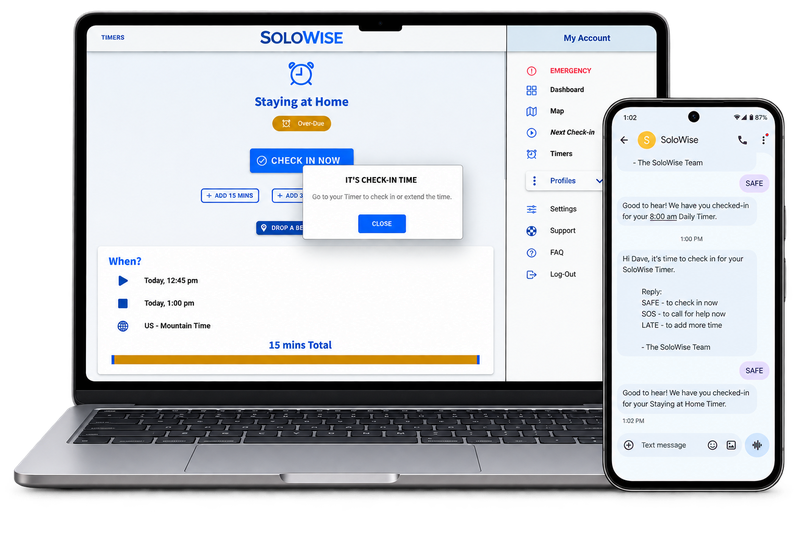
If you do not check in by your scheduled time, SoloWise will immediately send to you a message, reminding you to check-in and asking if you're OK.
Those reminder messages are sent by email and in-app alert by default. You can also opt in to text message and push notification reminders at no extra fee.
When using the SoloWise text messaging system, you can reply by using a few pre-defined responses:
You can send any of those pre-defined text messages at any time during a scheduled check-in period. You do not need to wait for that initial reminder message from SoloWise.
If you do not reply at all by the time your pre-defined "alarm delay" has expired, then SoloWise will proceed to send the alert messages to your emergency contacts.
The messages to your emergency contacts are sent via email by default. Your contacts may also opt in to receiving text messages and automated-voice calls. The email will contain a link to a webpage that will report all of the information you recorded for your check-in.
The "alarm delay" is a grace period between when SoloWise sends reminder messages to you and when it sends the alert messages to your contacts. This period can give you some time to check in after you get your reminder. The alarm delay is optional. The delay is set to zero by default, so the alerts are sent to your contacts right away.
Powerful Features

If you experience an immediate emergency, send an SOS through the app or text message to alert your trusted contacts.

Share your live location while a Timer is active. It's optional and never runs in the background.

Add crucial details like your location, vehicles, and pets, so your contacts fully understand the situation.
Works on virtually every device
SoloWise works in any web browser, so you can use it on your phone, tablet, or computer.
Clear answers
SoloWise follows the reminder and alarm-delay settings selected for that timer. If the check-in remains incomplete, the chosen trusted contacts can be alerted.
The core interaction is intentionally simple. Members receive a reminder and complete their check-in with a clear on-screen action.
Plan limits vary, but paid plans can support multiple trusted contacts for a member's timers.
No. SoloWise is a personal check-in and notification service. It does not provide medical monitoring or replace emergency services.
SoloWise can be used in a compatible web browser. Native app availability may vary by platform.
Simple and transparent
Start free and stay free as long as you'd like. No credit required.
Upgrade only when you need more capacity.
$0/month
A simple way to begin
$3/month
Get greater capacity
$6/month
Add even more flexibility
$9/month
Access to maximum limits
 Cancel anytime. No long-term contracts.

A simple check-in routine for our members. Reassurance for the people who care about them.

SoloWise is designed to reduce uncertainty and response time when something goes wrong, but it cannot eliminate risk, replace personal judgement, or guarantee outcomes. It depends on proper setup, realistic check-in schedules, and reliable contact information. Like any system, it is only effective when used thoughtfully and as intended.
SoloWise does not replace emergency services, medical care, or common sense. It works by escalating missed expectations to the right people, who can then decide how to respond. Conditions such as connectivity, device availability, and human response time all play a role. By acknowledging these limits openly, SoloWise aims to be a dependable layer of support — not a promise of safety under all circumstances.

